Find the edge hiding in your trades.
Edgezilla turns every trade you log into clear numbers on your win rate, your emotions and your discipline, so you know what to repeat and what to stop.
14-day free trial · No card needed · Works on desktop and phone
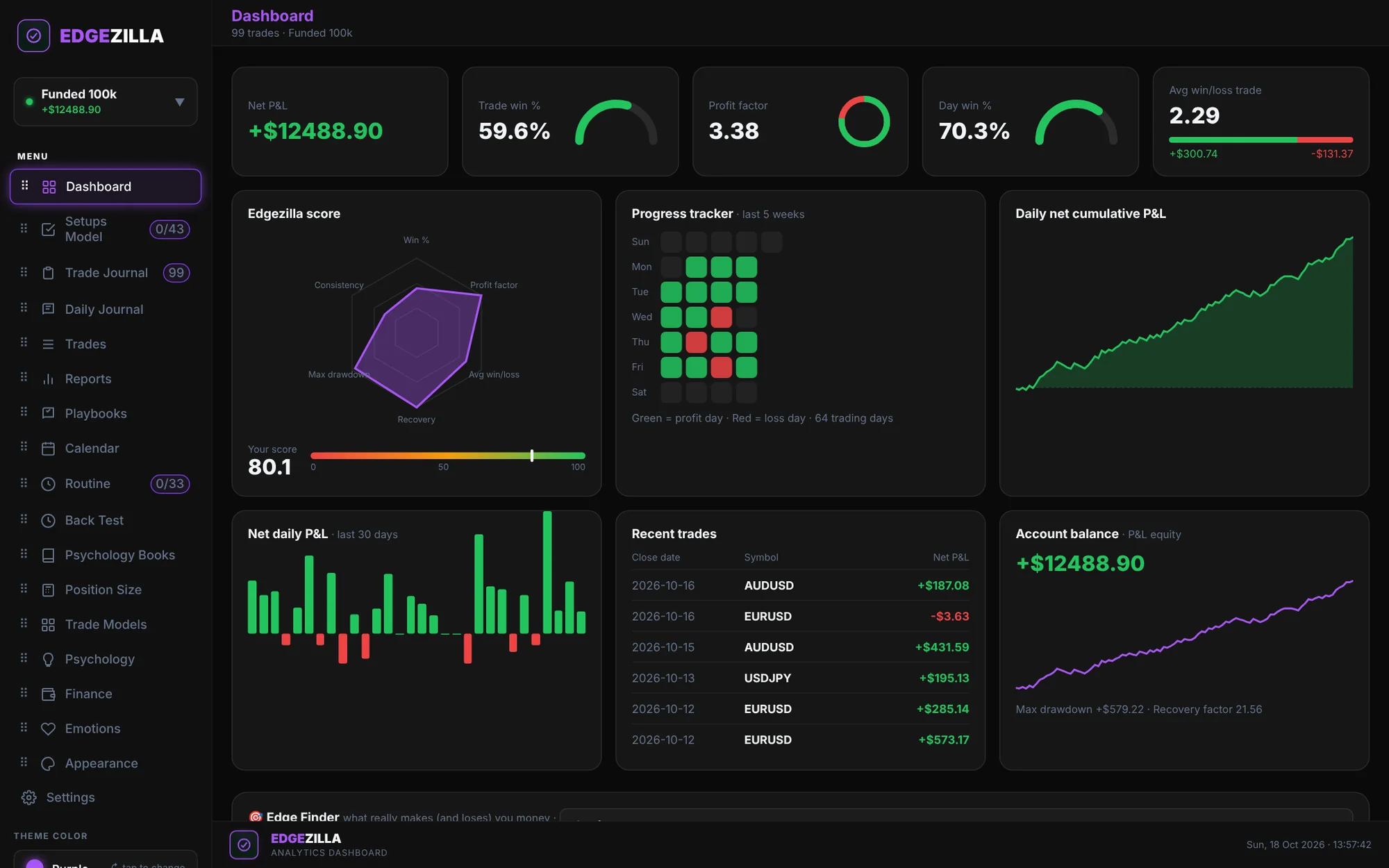
See it working on real screens.
A 50-second walk through the real app, filled with sample trades.
Sample data shown.
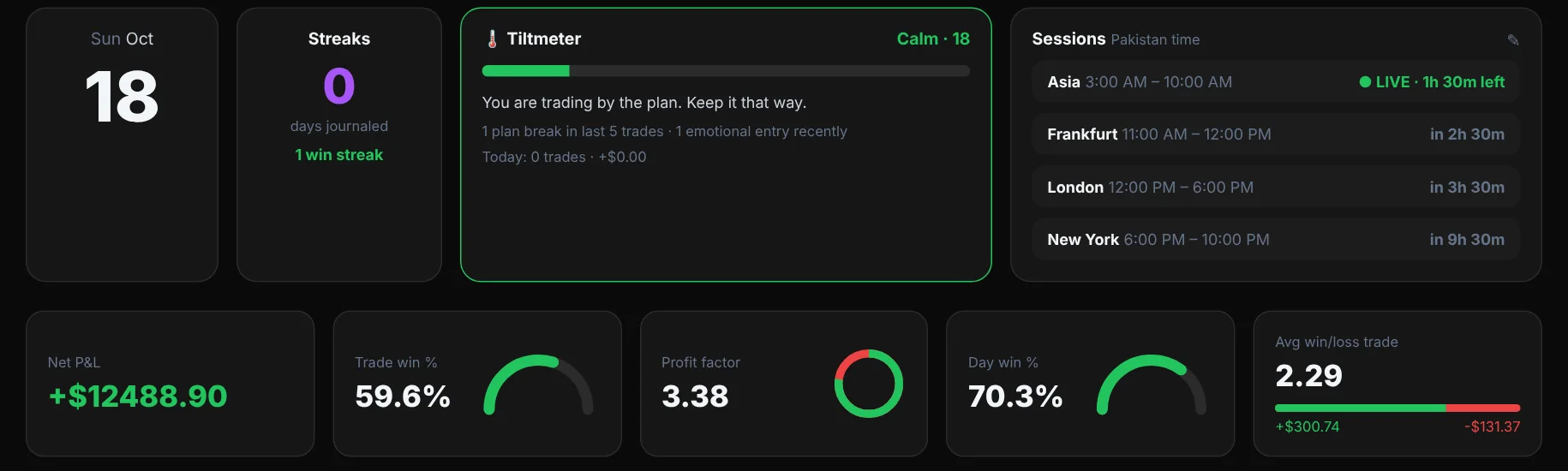
Know your state before you trade.
Open Edgezilla and see where you stand before you place a trade.
- A tiltmeter that reads your recent plan breaks and emotional entries
- A live clock for the Asia, Frankfurt, London and New York sessions
- Net P&L, win rate, profit factor and average win to loss on one row
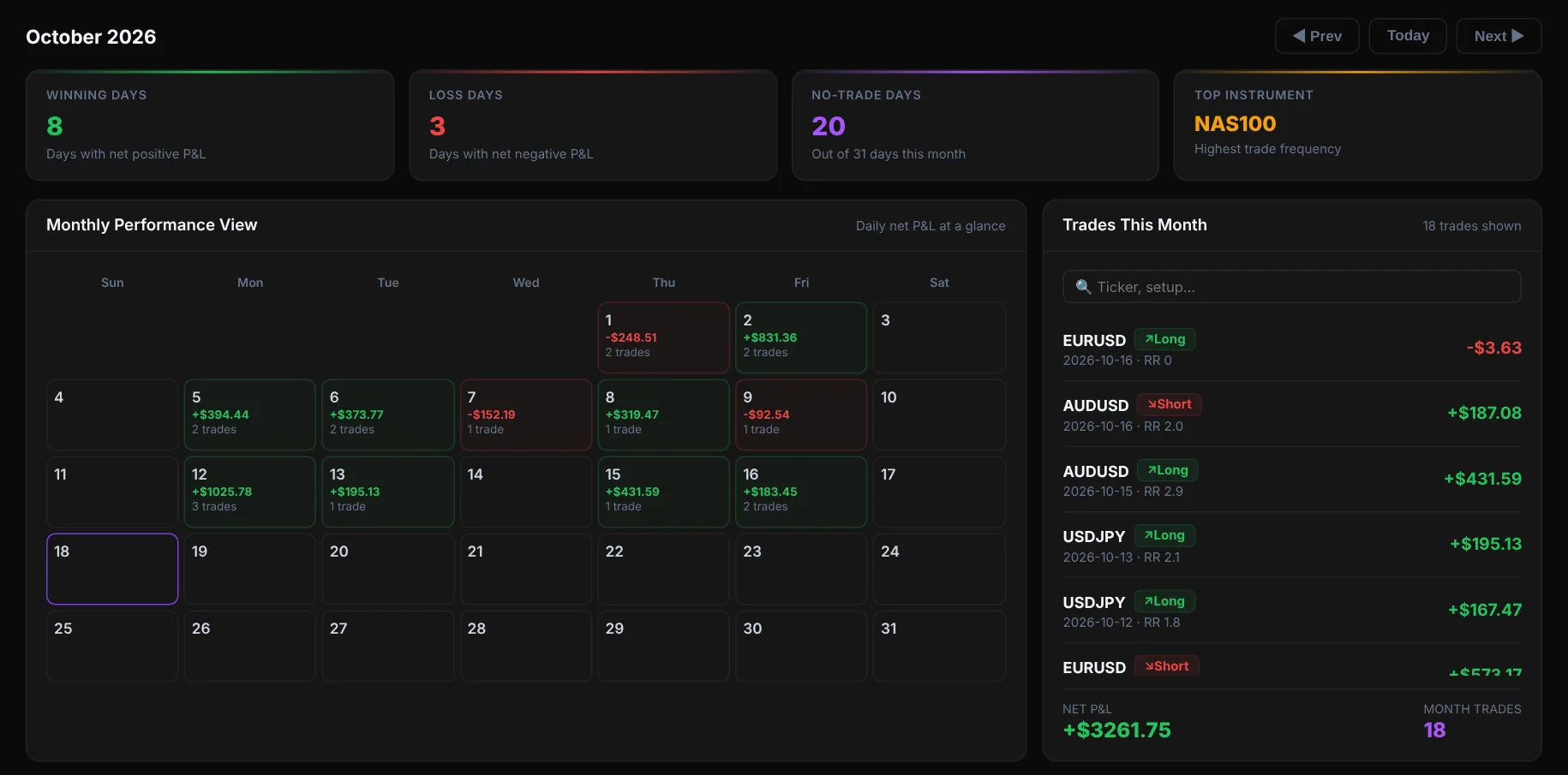
See every green and red day.
The calendar shows your result for each day, so patterns show up fast.
- Daily P&L and trade count on every date
- Winning days, losing days and the pair you trade most
- Click a month to list its trades and search by pair or setup
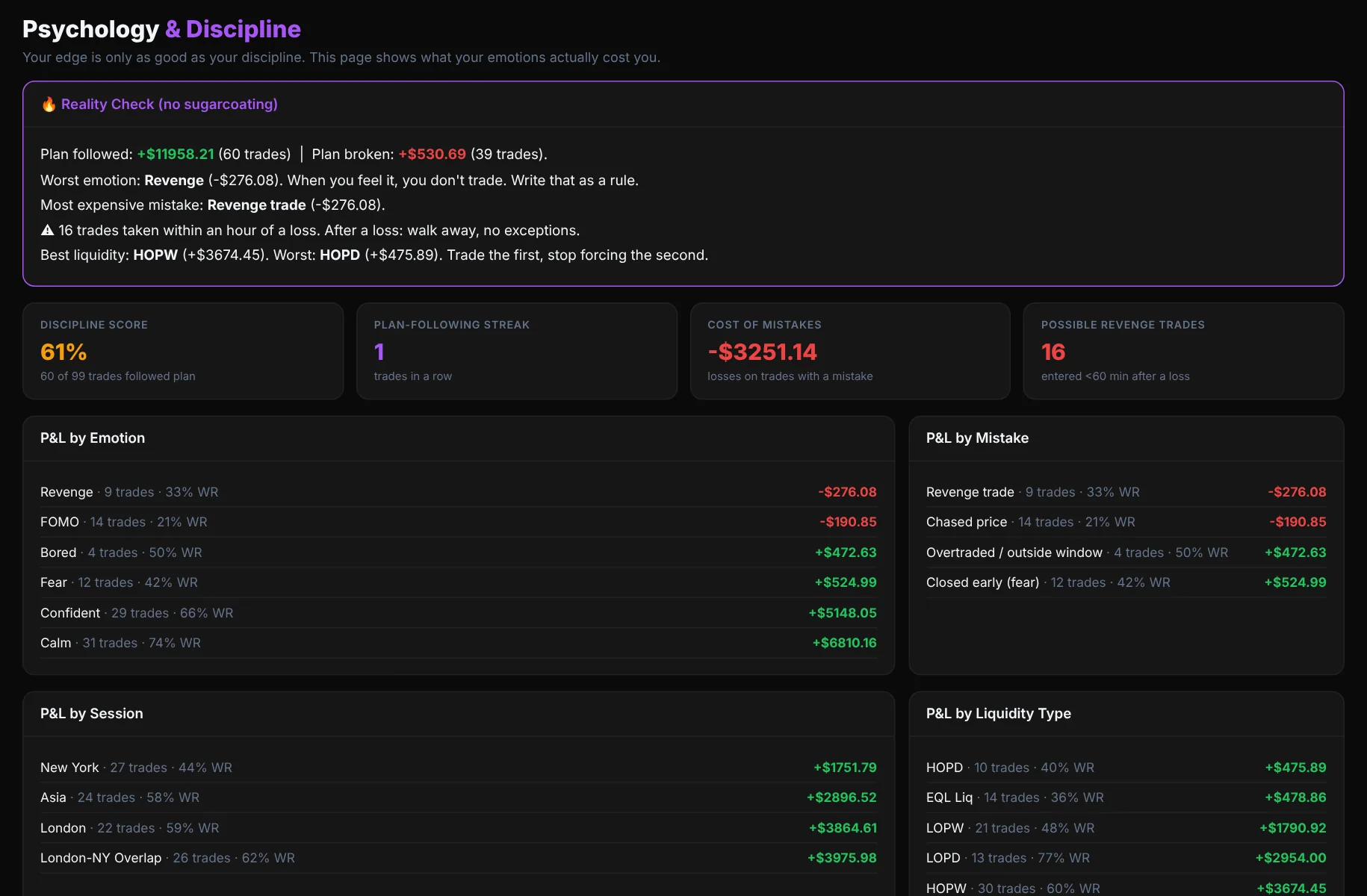
Find out what your emotions cost you.
Most blown accounts come from behaviour, not strategy. Tag each trade with how you felt and what went wrong, and Edgezilla adds up the cost.
- P&L by emotion, mistake, session and liquidity type
- Discipline score and your plan-following streak
- A plain "reality check" that flags revenge trades after a loss
Turn your strategy into rules you can measure.
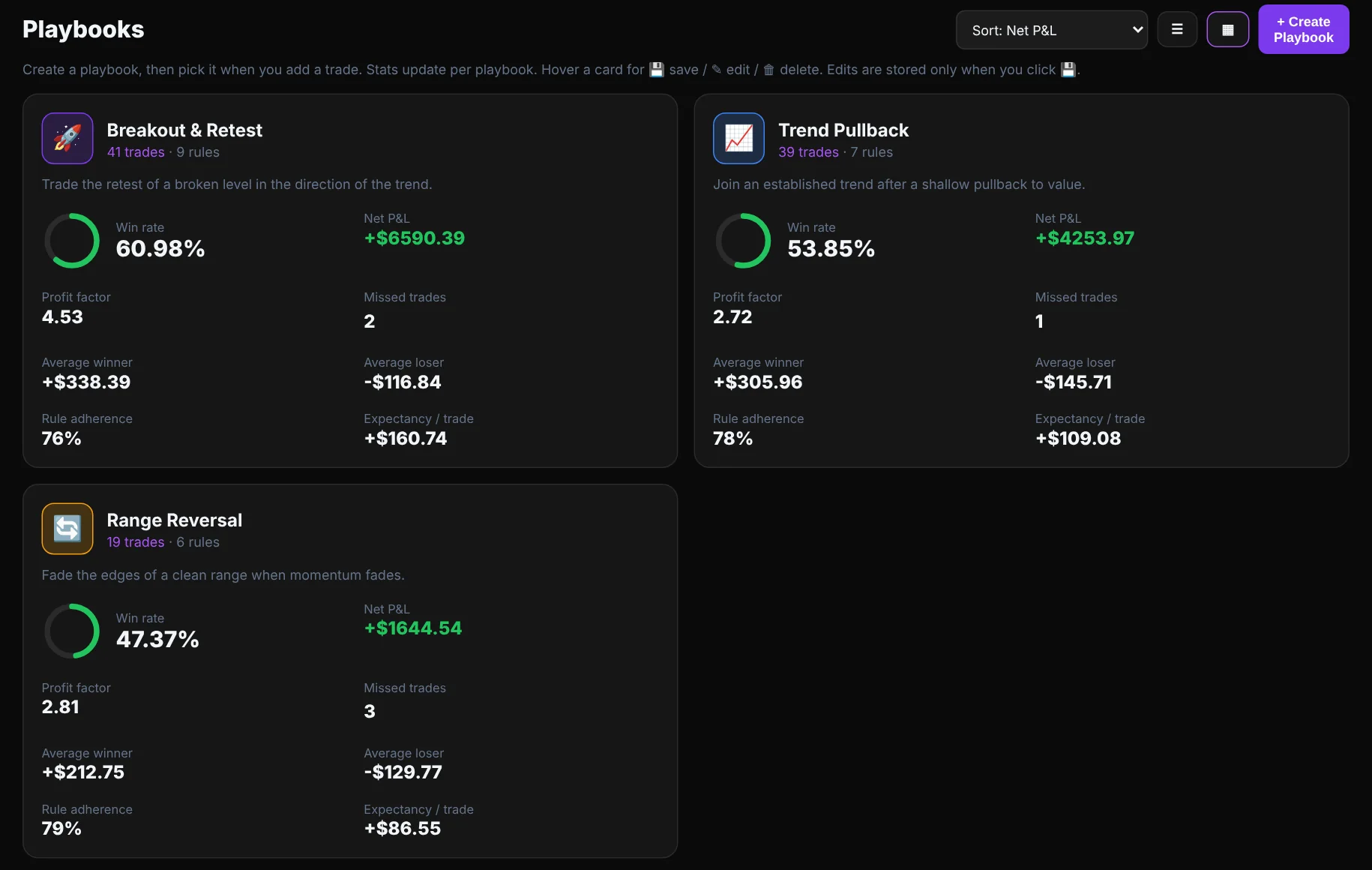
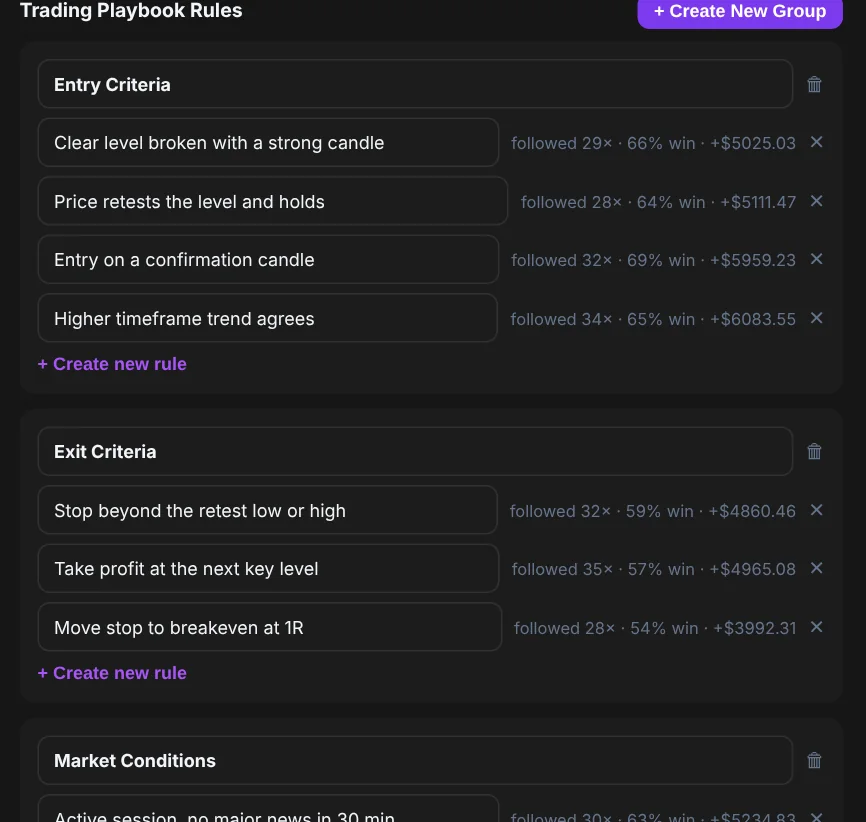
Write a playbook for each way you trade. Tick the rules you followed on every trade, and Edgezilla shows which rules actually make you money.
- Groups of entry, exit and market rules for each playbook
- Win rate, profit factor and expectancy per playbook
- Rule adherence, and the win rate and P&L each rule gives you
Reports that answer real questions.
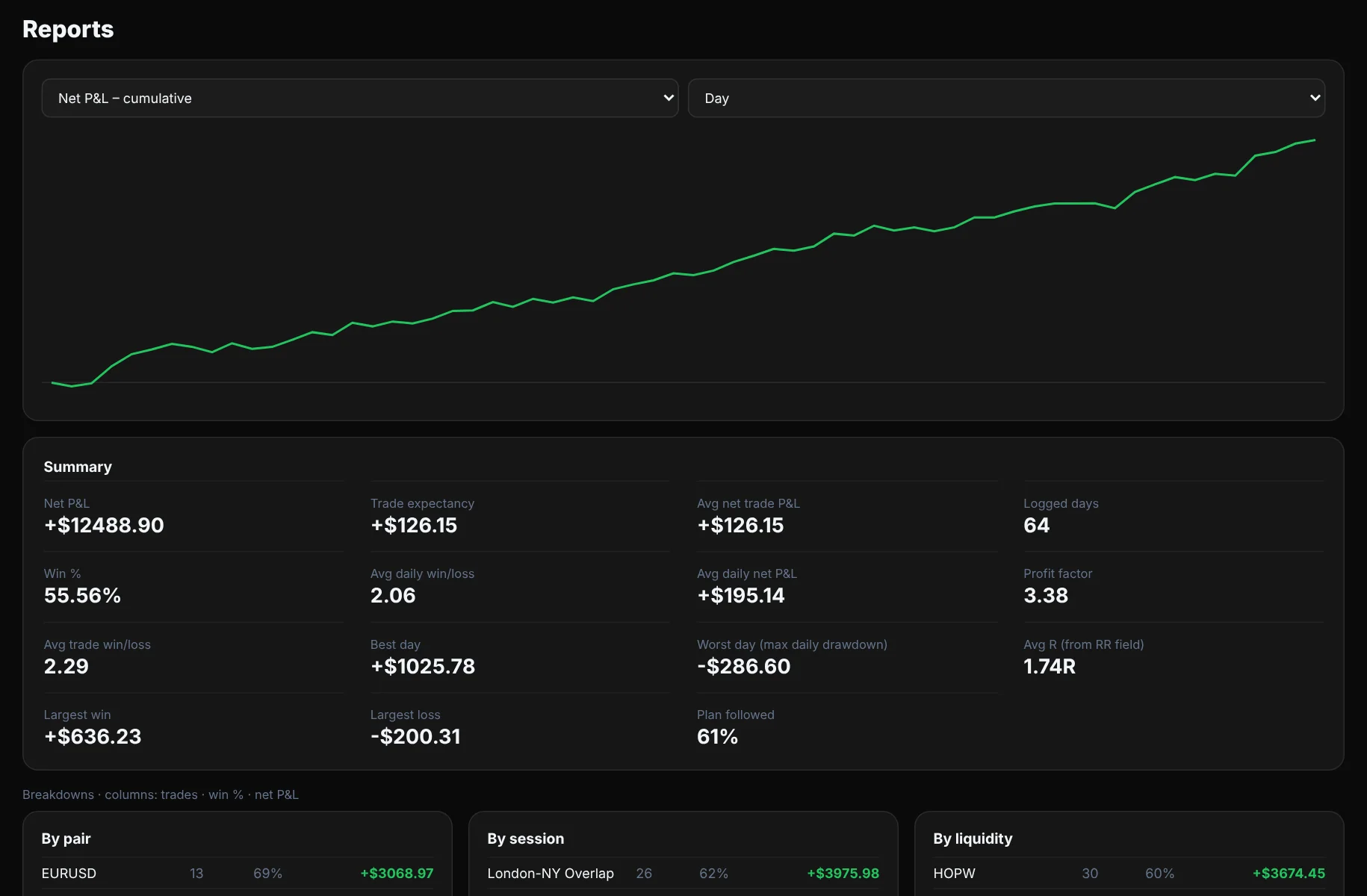
Which pair pays you? Which session? Which setup should you drop? Pick a metric, pick a period and read the answer.
- Cumulative P&L, expectancy, best and worst day, average R
- Breakdowns by pair, session, liquidity and setup
- Switch between a single account and all accounts together
Know what you keep, not just what you win.
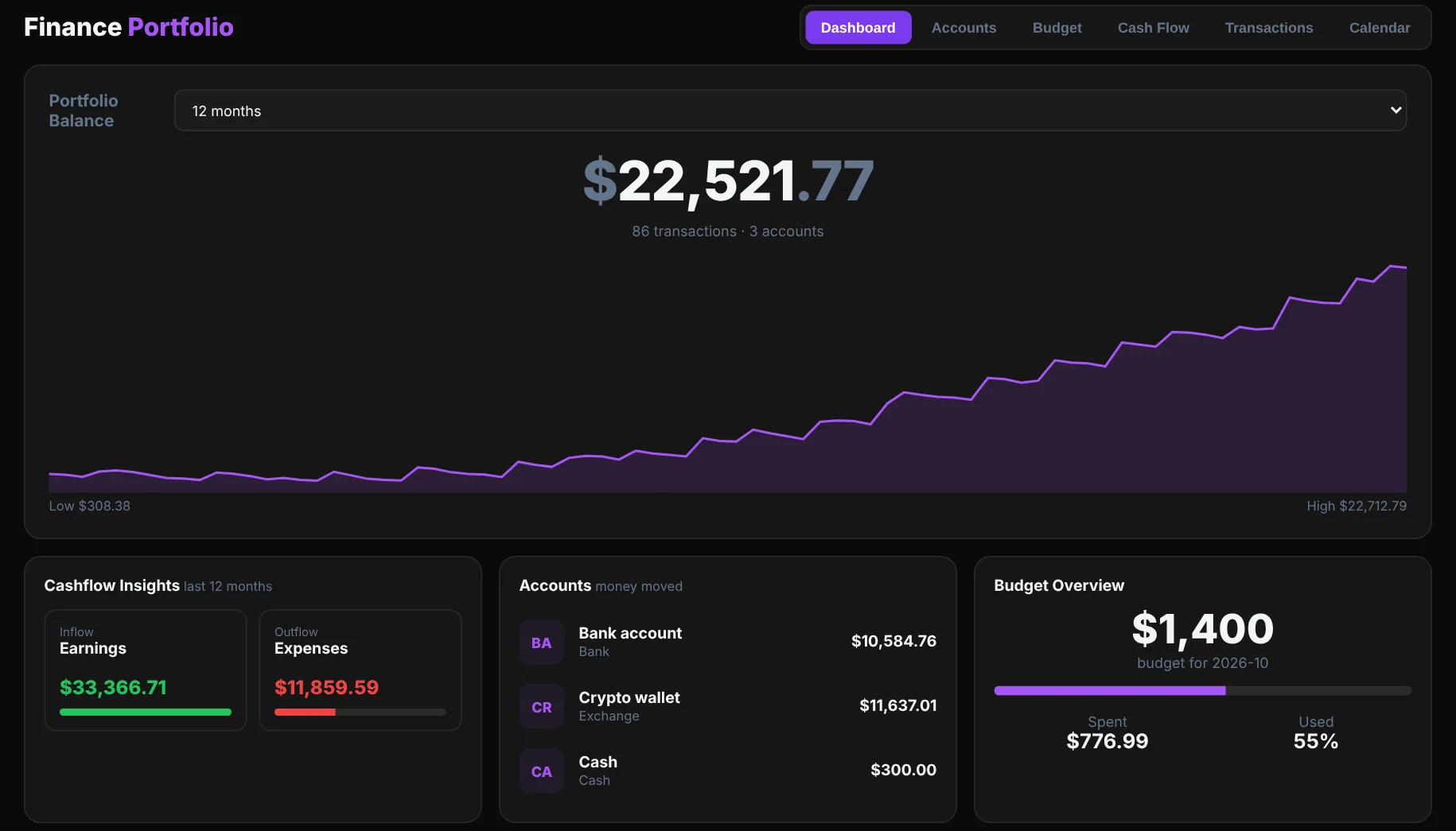
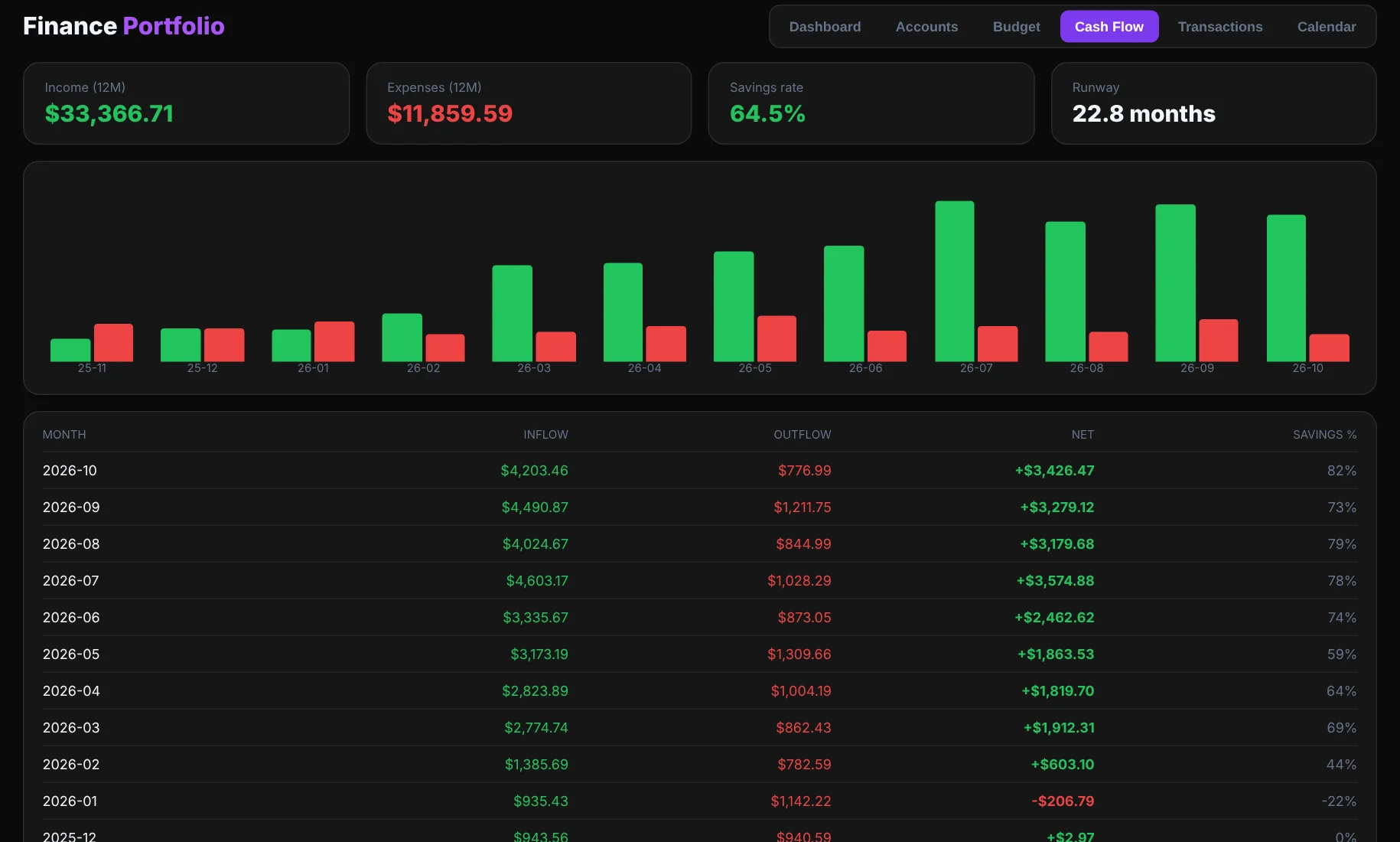
Track your payouts and your costs in the same place as your trades, so you can see your real income as a trader.
- Portfolio balance across your bank, wallet and cash accounts
- Payouts, challenge fees, tools and living costs by category
- Monthly budget, savings goal, cash flow and runway
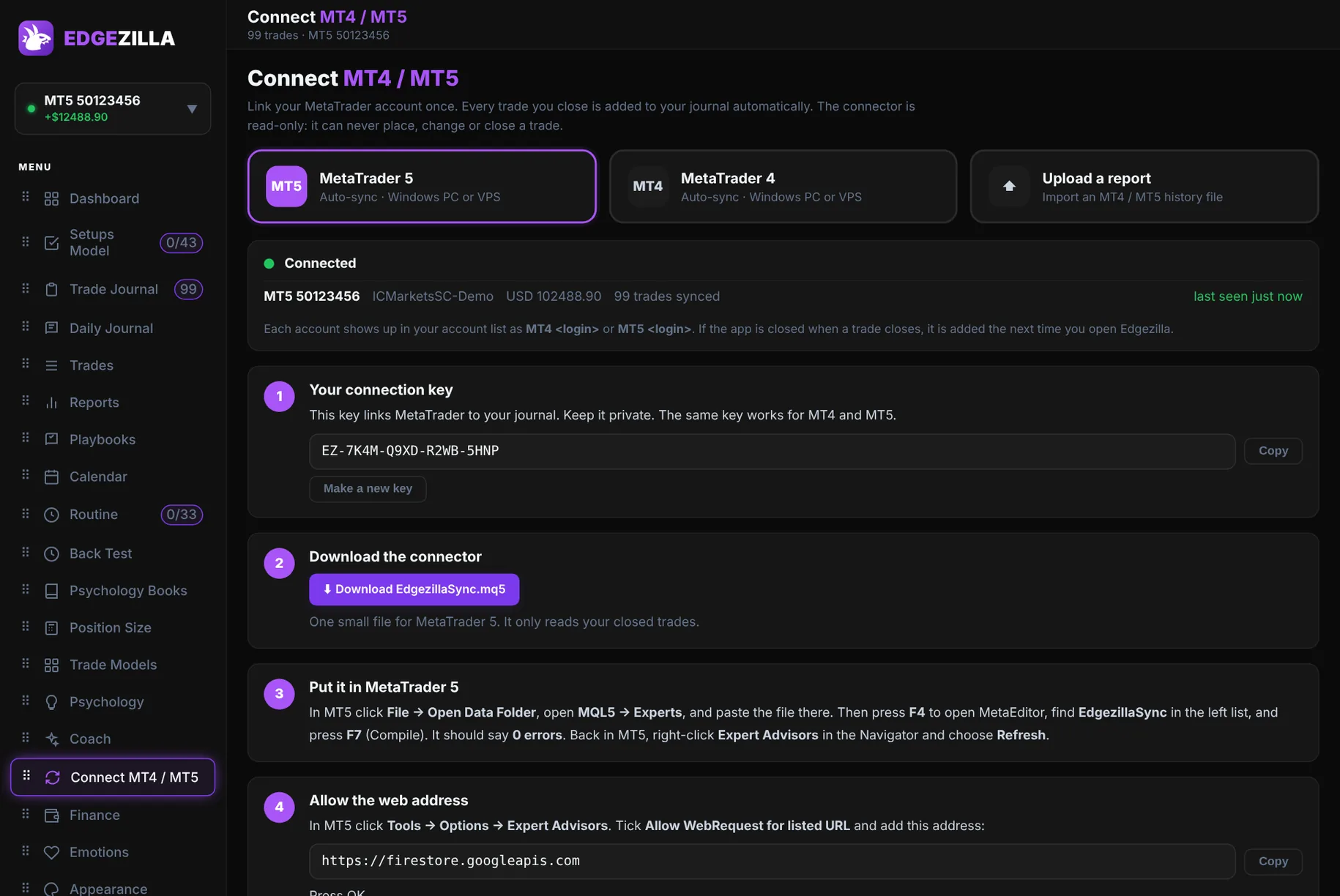
Connect MT4 or MT5 and stop logging by hand.
Link your MetaTrader account once. Add one small file, paste your key, and every trade you close lands in your journal on its own.
- Works with MetaTrader 4 and MetaTrader 5, with five simple steps inside the app
- Your last 90 days of trades are imported the first time it connects
- Read-only: it can never place, change or close a trade
- Prefer a file? You can still import an MT4 or MT5 report
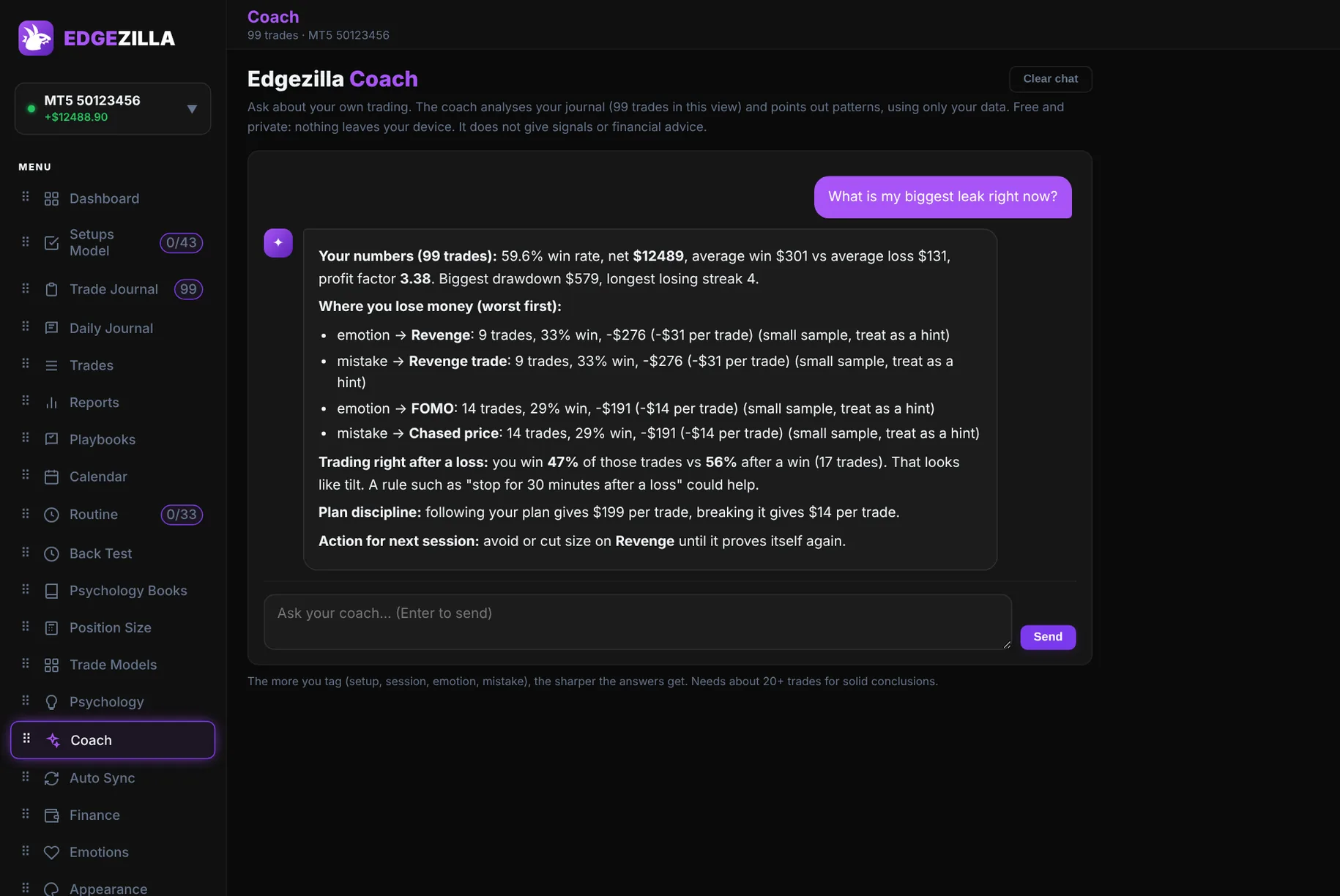
A coach that reads your journal.
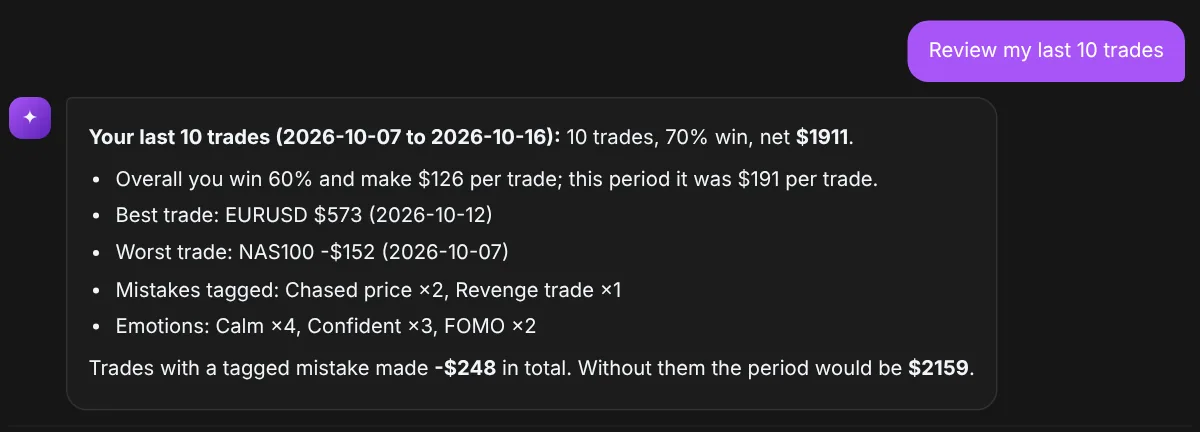
Ask what is costing you money and get an answer built from your own trades, not generic advice.
- Your biggest leaks, ranked, with the numbers behind them
- Your best setups, days and sessions, so you can do more of what works
- Spots tilt after a loss and shows what breaking your plan costs
- Private: the analysis runs on your device, and your data stays yours
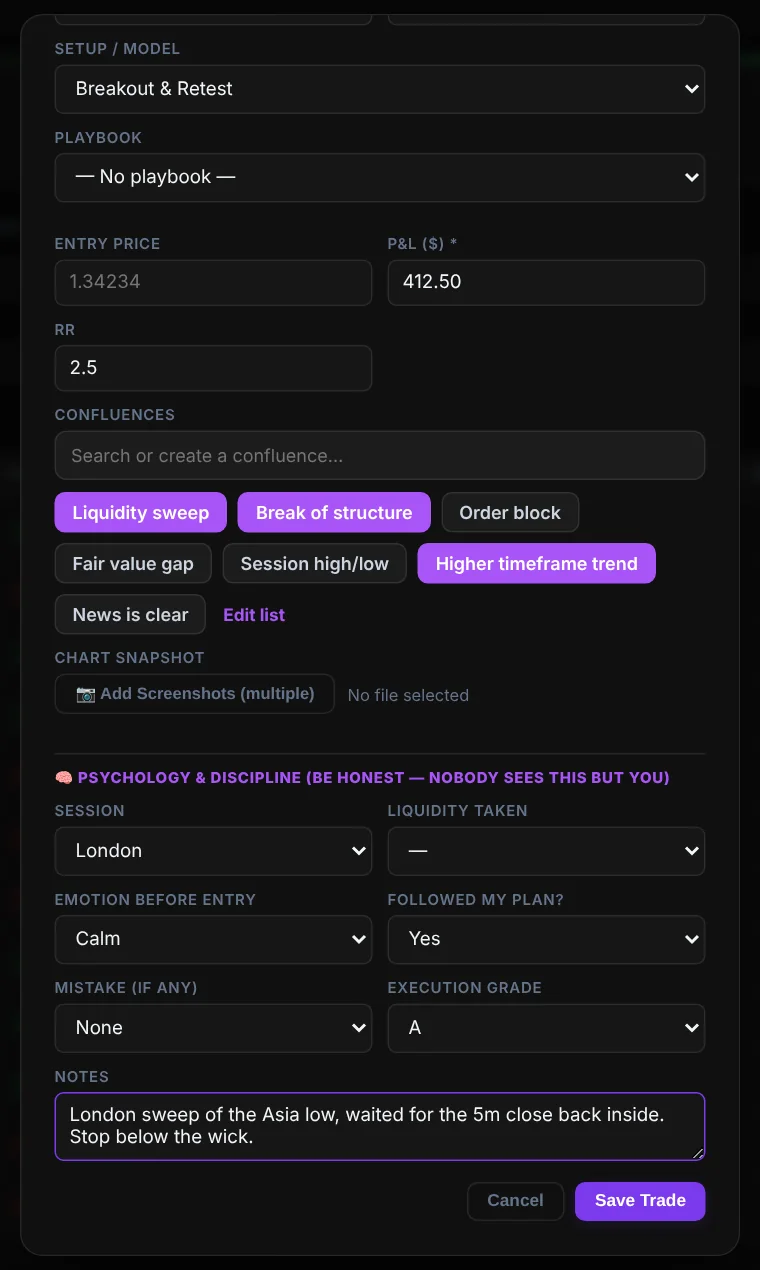
Log a trade in under a minute.
Pick the pair, your own model and confluences, add your chart screenshots, then record how you felt. Made a typo? Edit any saved trade later without touching your other stats.
- Your own models, confluences and playbooks, added once and reused
- Multiple chart screenshots per trade
- Emotion, plan followed, mistake and execution grade
- Or import a whole MT4 / MT5 report at once
And the details that make it yours.
Everything in the app, not just the charts.
MT4 / MT5 auto sync
Connect once and your closed trades arrive on their own. You can still upload a report or a CSV, even from Notion.
Notebook with templates
Daily game plans, recaps and forward-test logs, with headings, lists, images and links. Make your own templates.
Themes and colours
Dark, Onyx, Iris, Amber, Slate or Light, with the accent colour you like.
Edit any trade
Fix a mistake or add a missed note. The rest of your stats stay intact.
Prop firm accounts
Keep each challenge and funded account apart, or view them together.
Phone app and sync
Add the mobile version to your home screen and log trades anywhere.
Setups checklist
Tick through your rules before you enter, so you only take your A-setups.
Trade models
Name each model you trade, then tag every trade to it.
Position size calculator
Work out your lot size from your risk before you click buy or sell.
Daily journal and routine
Write about your day and keep a pre-session routine you can tick off.
Connect MT4 / MT5
Add one small file to MetaTrader 5 and every closed trade lands in your journal by itself.
Your own models
No built-in strategy to fight. Add your own models and confluences, then tag each trade.
Pay your way
Pay in crypto with any major coin and network, or use local transfer methods.
Screenshots on every trade
Attach your chart to each trade so you can review what you saw at the time.
Smart coach
Ask what your biggest leak is. The coach reads your own journal and answers with your numbers.
Edge finder
See which pairs, sessions and setups really make you money, and which ones cost you.
Green and red calendar
Every trading day at a glance, with the P&L and trade count of each one.
Emotion tracker
Find out which feelings make you money and which ones make you revenge trade.
Simple pricing.
Start free for 14 days. Pick a plan when you are ready.
Pay from inside the app. Payments are checked by hand, usually within a few hours.
Questions.
Do I need a card for the free trial?
No. Create an account, verify your email and use everything for the whole trial.
How do I pay?
Choose a plan inside the app, send the payment with JazzCash, USDT crypto or Nigerian bank transfer, then paste your transaction ID. Payments are confirmed by hand and your access is switched on, usually within a few hours.
Is my journal private?
Your journal is saved under your own login, and the database rules only let you read and write your own data. Other customers cannot see it. See the privacy notes for details.
Does it work on my phone?
Yes. Open the mobile version, then add it to your home screen. It works like an app, even on a weak connection.
Can I import trades from MT5?
Yes, two ways. Connect MT4 or MT5 and trades sync automatically, or export your history report or a CSV (Notion works too) and import it. Trades you already have are skipped.
Does it connect to my broker automatically?
Yes. Connect MT4 or MT5 with a small free add-on and your closed trades sync to your journal. It only reads your history and cannot place trades.
Is this financial advice?
No. Edgezilla is a journaling and analytics tool. It does not give trading signals or advice, and past results do not guarantee future results.